Connection requests & follow-ups
Automate LinkedIn invites and timed follow-on messages so warm leads don’t go cold—without living in the channel all day.

A quick walkthrough of LinkedIn and email sequences, voice notes, Unibox, warmup, and campaign analytics—all in one workflow.




Mailgent is multi-channel outreach automation—LinkedIn and email on equal footing. Run connection requests, DMs, voice notes, and engagement in the same sequences as cold email, follow-ups, mailbox rotation, and open/click tracking. One timeline, one campaign.
Automate LinkedIn invites and timed follow-on messages so warm leads don’t go cold—without living in the channel all day.
Send personalized email steps in the same builder as LinkedIn—rich text or HTML templates, subject lines, delays, and merge fields on one timeline.
Reach 1st-degree connections with text or cloned-voice audio messages, or use InMail when your account supports it—all in the same sequence.
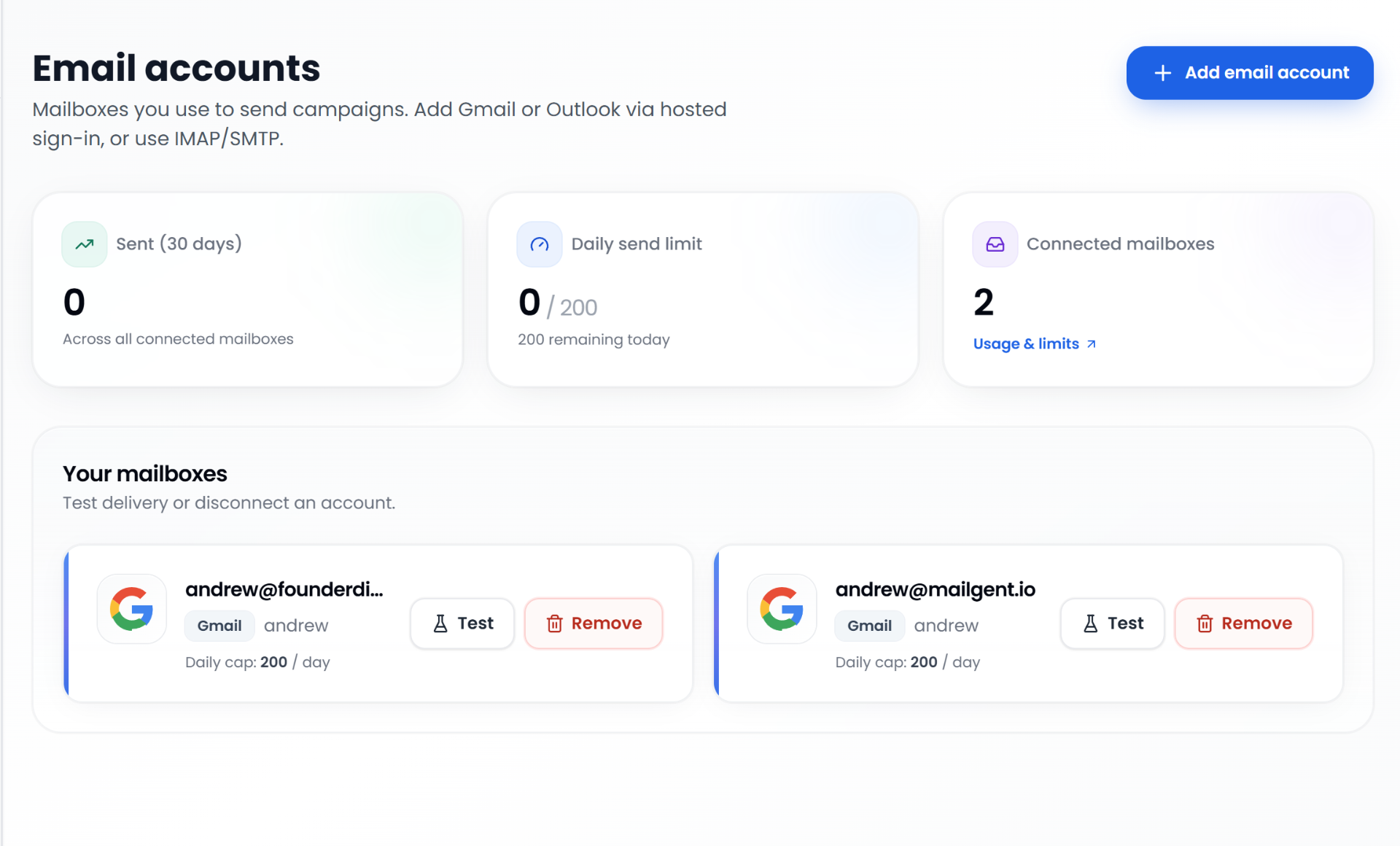
Connect Gmail or Outlook via secure hosted sign-in, or plug in IMAP/SMTP and SendGrid. Run multiple mailboxes per account with inbox rotation.
Blend profile views, follows, likes, comments, and endorsements into sequences so LinkedIn outreach feels human—not a single blast.
Track email opens, link clicks, and replies alongside LinkedIn outcomes. See which channel moved each lead in campaign analytics.
Save reusable email templates with rich text or HTML, personalization tokens, and per-step overrides—reuse the same playbook across campaigns.
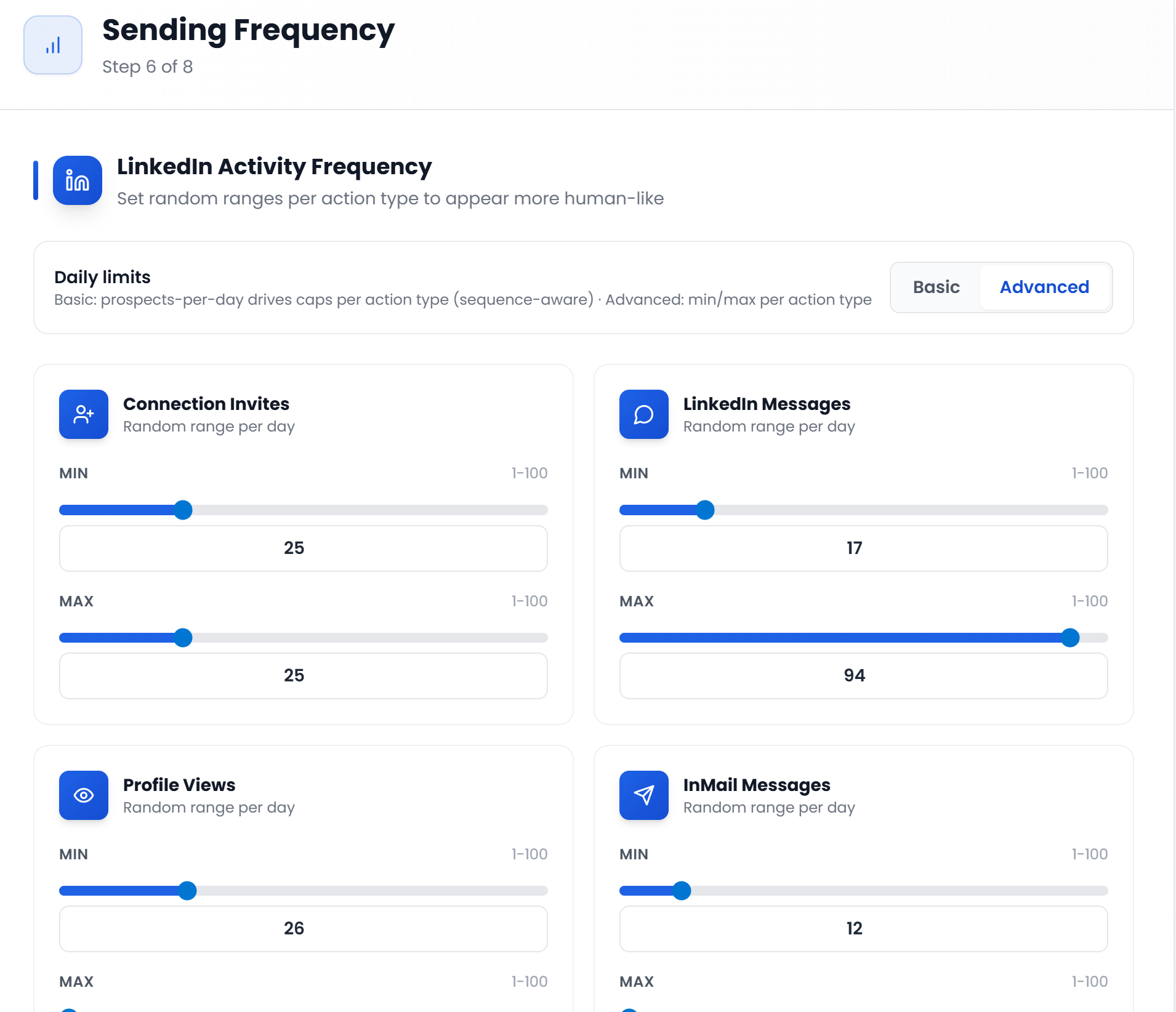
LinkedIn per-account daily caps plus optional warmup assessment for new seats. Email pacing, credits, and send windows keep both channels responsible.
Import from CSV, Sales Navigator, LinkedIn search, or post commenters—and find missing work emails with waterfall enrichment on import.
Intent monitoring, voice, unified inbox, analytics, and deliverability tooling live alongside your sequences—no extra stack to stitch together.
Record or upload a short sample, verify your voice, and generate natural LinkedIn voice-note DMs from sequence copy—personal at scale.
Reply to LinkedIn DMs and email threads from one inbox. Filter by channel, campaign, or account without switching tabs.
Track connection accepts, messages, InMail, engagement, plus email opens, clicks, and replies—per campaign with time-range charts.
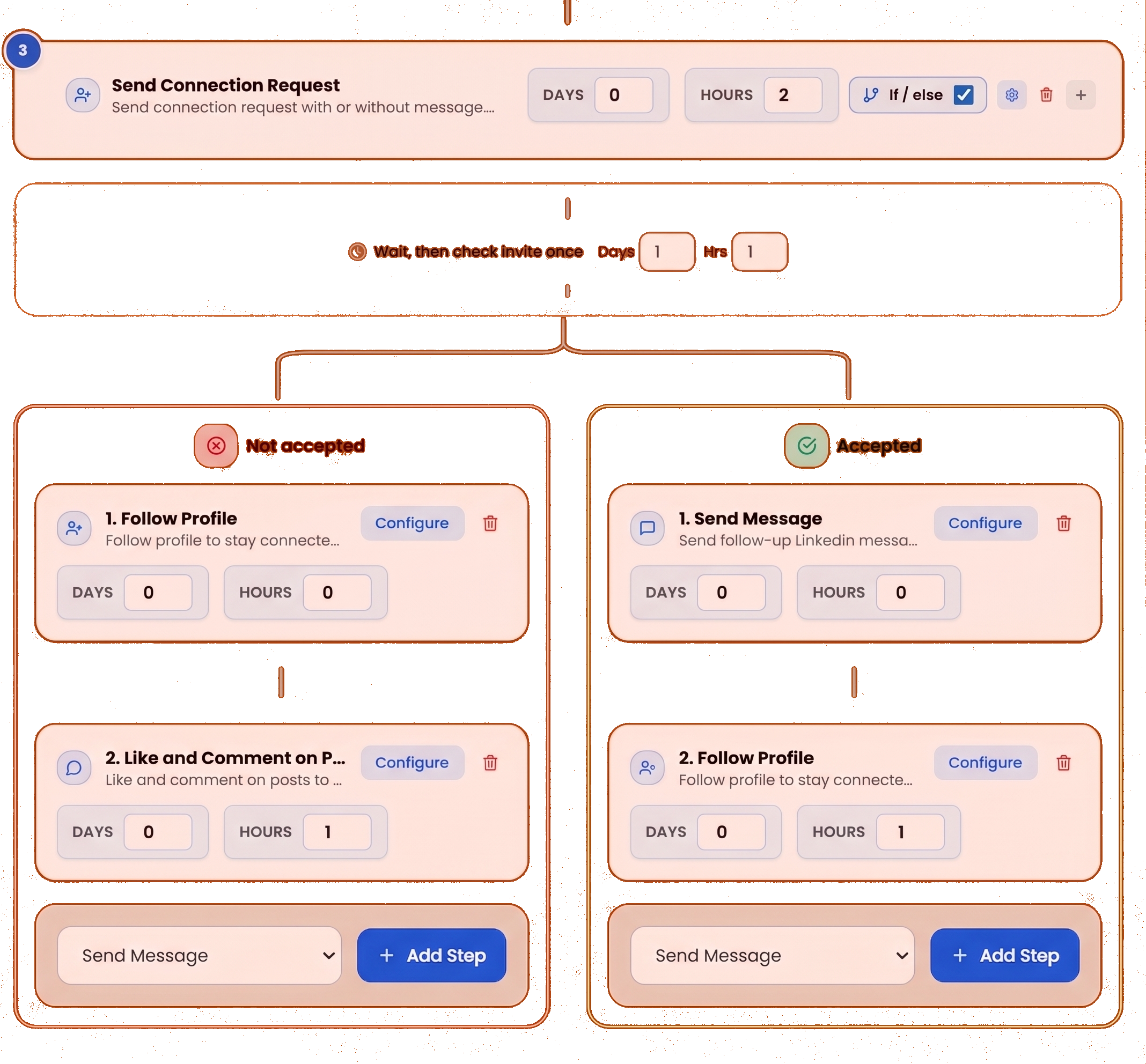
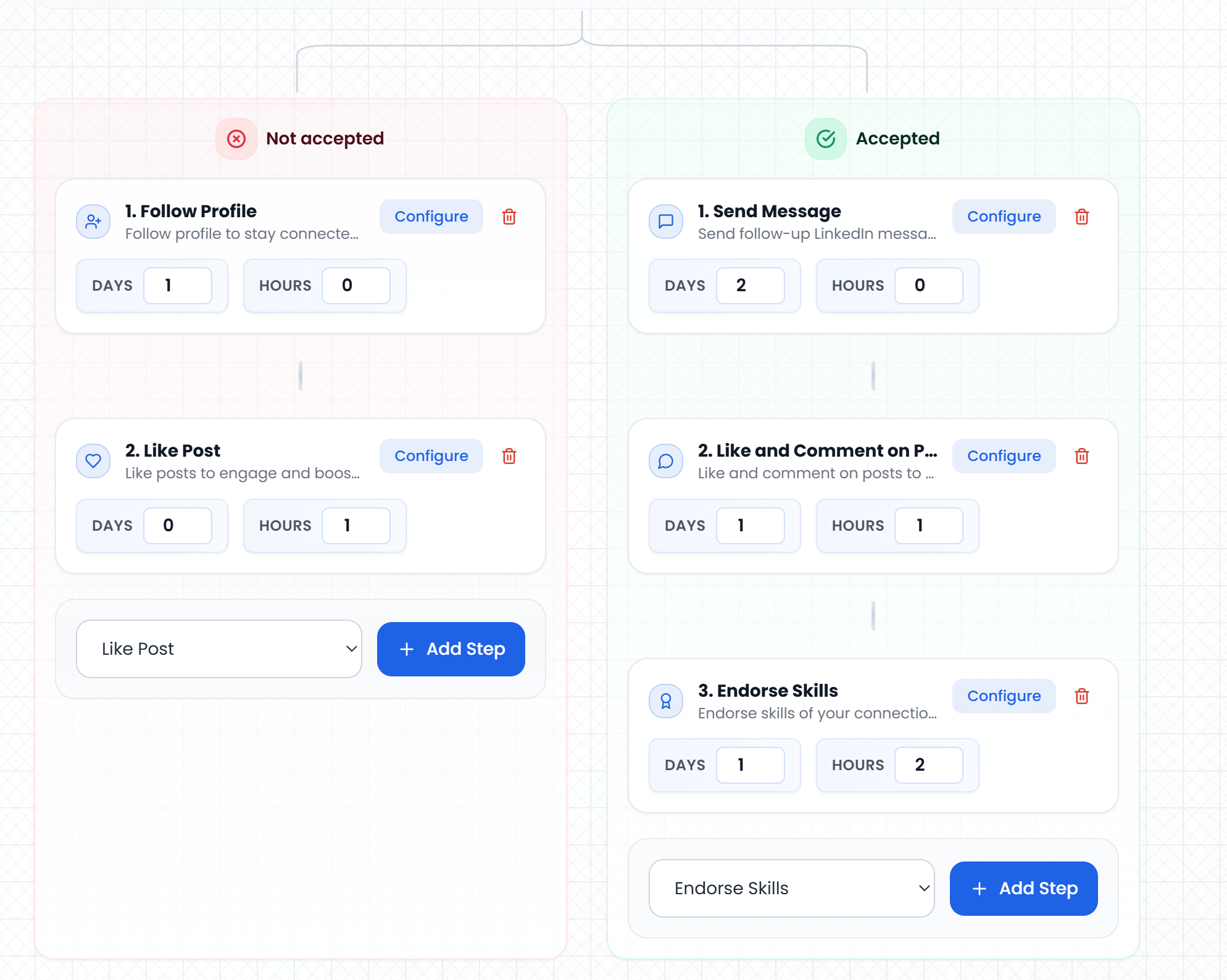
Split sequences on connection acceptance: different follow-ups for accepted vs. not-yet-accepted paths, including email steps on each branch.
Optionally rewrite LinkedIn copy per prospect after merge tags so each invite or DM reads unique—text and voice-note scripts included.
Spread email volume across multiple connected mailboxes in one campaign—round-robin sending with per-inbox limits and deliverability in mind.
Find verified work emails on import with waterfall enrichment. Pay only when a lookup succeeds—stack credits on any plan.
Build sequence playbooks once—LinkedIn steps, email steps, delays, A/B variants—and attach them to any campaign.
When prospects reply on LinkedIn, AI drafts context-aware responses from thread history and profile data. Review in Unibox or enable auto-reply per campaign.
When a lead replies on LinkedIn or email, their sequence pauses automatically so you never double-message someone who already engaged.
See LinkedIn action consumption, email credits, seat counts, and plan limits in one place—aligned with per-account safety caps.



Turn inbound LinkedIn messages into on-brand replies: the model reads the thread and context, drafts a professional DM you can review and send-so conversations move forward without staring at a blank box.

Engage with recent posts as part of a sequence-useful for warming up accounts before a connection or message.
Optional endorsement steps when you want another lightweight touch-always bounded by the same daily limits as your other LinkedIn actions.

Enforce caps on connection requests, messages, InMail, views, and engagement per connected
LinkedIn identity so teams scale without
racing past safe volumes.

Add profile visits and follows as sequence steps so prospects see natural activity before a heavier ask.

Pull fields from each lead into messages and invites-name, title, company, LinkedIn URL, and custom columns from your imports.
Bring your own email transport-connect SendGrid or a standard SMTP provider so sends originate from infrastructure you control.
Control send volume with campaign pacing, inbox rotation, and credits—so cold and follow-up mail goes out through the mailboxes you connect.
Reuse the same personalization fields you mapped for LinkedIn-merge names, titles, companies, and custom columns into email bodies and subjects.
Space email steps with wait days and caps that mirror how you’d send manually-so sequences stay human-paced alongside LinkedIn actions.

Import prospects from CSV and wire them into the same engine you use for larger data
sources-so every campaign starts clean.
See sends, opens, and many other stats next to LinkedIn outcomes so one dashboard tells you which channel moved the deal-not two siloed tools.


